Please also see the Buildup Plan for detailed instructions and what to consider when setting up a lecture room.
The 2 main components of the lecture hall setup are the lectern module on the stage and the FOH module and camera at some “front of house” location. They are connected by: 1 SDI cable and 1 ethernet cable. Depending on the location of the audio inputs to the hall, one or two XLR cables may also be laid to the stage or some other location in the hall. Considerations regarding network connection can be found in the Network Setup chapter.
This cabling diagram contains all connections between modules and devices (but not the inner workings of the modules): 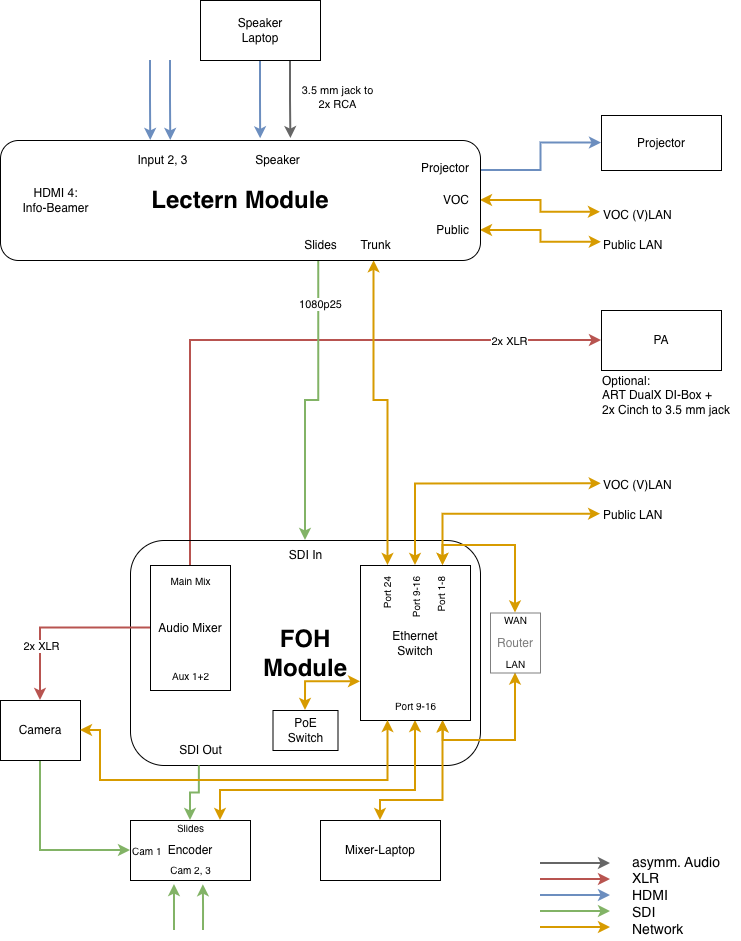
Network Setup
A VOC lecture hall setup needs some internal VOC network (commonly named VOC-VLAN, even though it may not always be a VLAN technically) and a way to have internet access. Depending on the number of rooms and the network provided by the location or event there are multiple ways to connect rooms. This needs to be designed by the VOC responsible person.
The easiest setup is a single room (or multiple fully independent rooms). Since the Lectern and FOH modules both have network ports for public and VOC network and a VLAN trunk between them, it doesn’t matter where the public network is connected.
Recommended Single-Room Network Setup
- Put the WRT router near the FOH module
- If the room’s public network (uplink) is located at the stage:
- Connect the public network (uplink) to the “public” port of the lectern module
- Connect the WAN port of the WRT to some “public” port of the FOH module’s network switch
- If the room’s public network (uplink) is located near the FOH:
- Connect the WAN port of the WRT to the public network (uplink)
- Connect one LAN port of the WRT to some “VOC” port of the FOH module’s network switch
- Power on the WRT router
See https://c3voc.de/wiki/hardware:wrts how to enable DHCP in the VOC-(V)LAN if needed.
Multi-Room Network Setup
Ideally there’s a private VLAN between all rooms which can be used to interconnect all room setups and the office. In that case, each hall setup just needs to be connected to the venue VLAN with one “VOC” port (either at the lectern or at the FOH module – whatever is more convenient).
When the server case is used, the router VM will provide uplink to the whole VOC network. If not, deploy one WRT router in a lecture hall or the VOC office providing a connection between public and VOC network. (Remember to enable all hall networks which are reachable via this router so that the remote access VPN works. TODO: Where is this documented?)
FOH Module
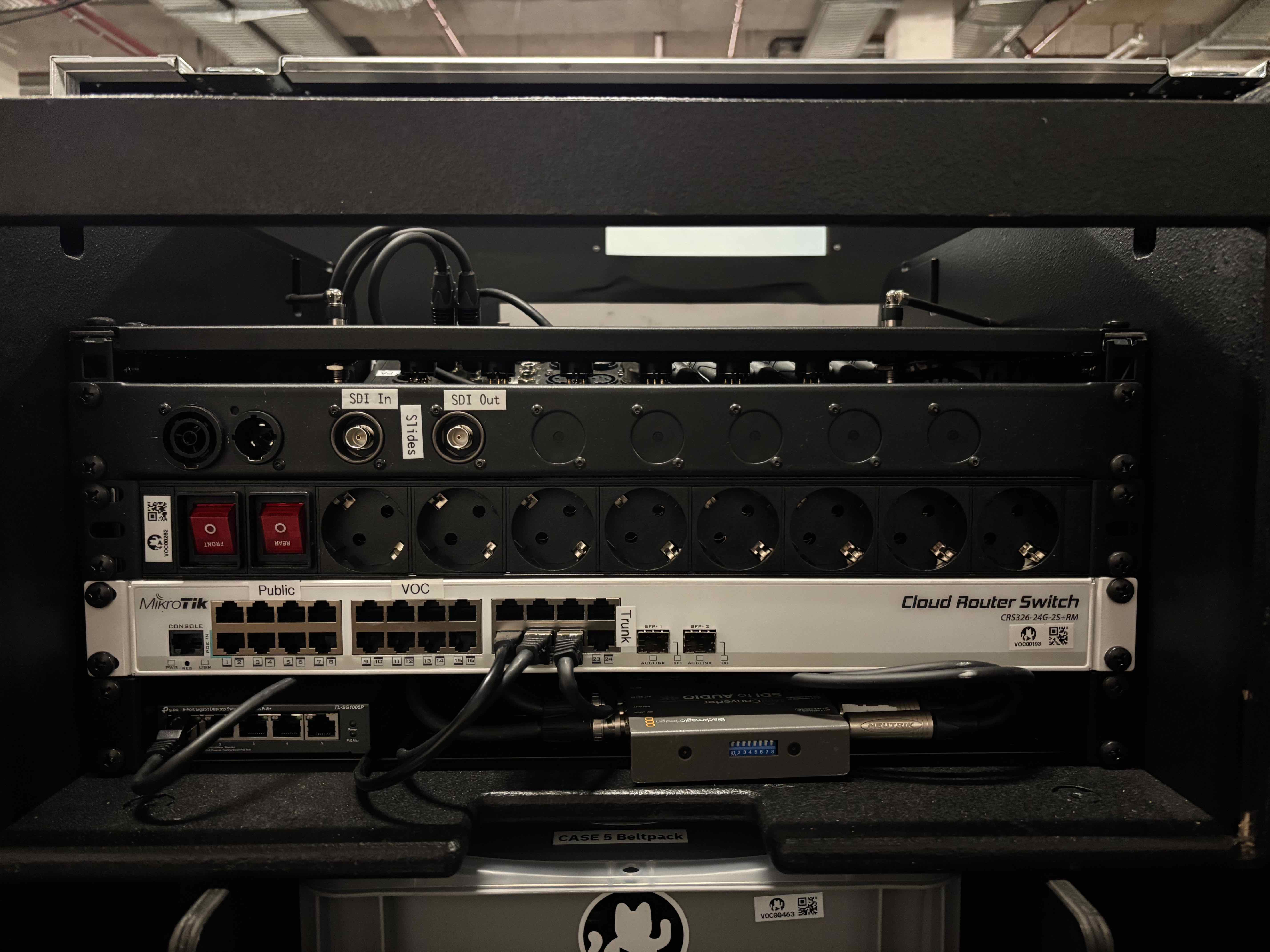
See the netbox for detailed port configuration: Case 1, Case 2, Case 3, Case 4, Case 5, Case 6
Lectern Module
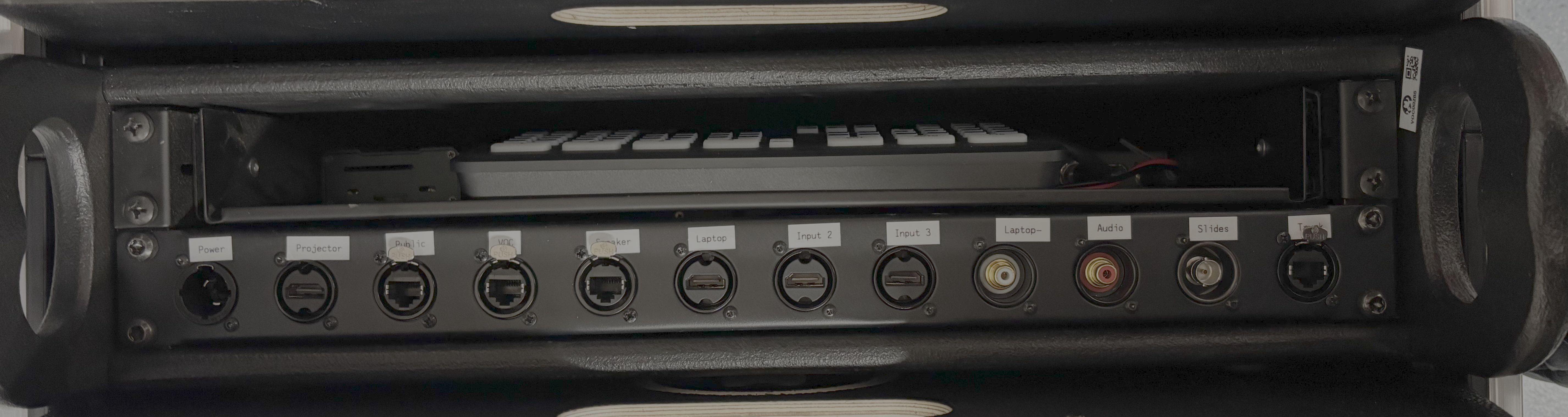
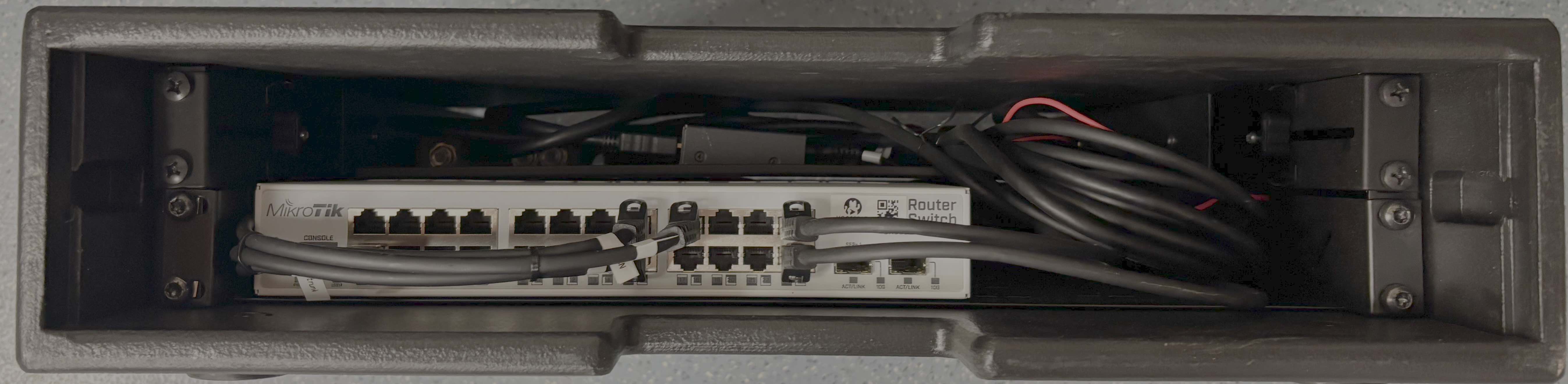
Use ethernet connections at the front unless a fiber trunk is needed via the SFP slots.
Otherwise see the netbox for detailed port configuration: Case 1, Case 2, Case 3, Case 4, Case 5, Case 6